The locked visual language for Quorum — a floating-panels grammar over a digital backdrop, with a six-agent presence model, a 19-step methodology rail, and a composer anatomy that every screen inherits. Specified by Kinsley, cross-checked against the live codebase on every rebuild.
app/src/app/globals.css — live token implementation
app/src/app/layout.tsx — live font wiring
app/src/components/ui/ — live component inventory
This page renders the locked spec as the narrative skeleton, with sections tagged live for what the codebase shows right now. Where the live read diverges from the locked spec, the page surfaces both — no aspirational handwaving.
How this page works
The page is structured from the 14-section token preamble Kinsley writes against. Each section is the canonical answer to one question — what does Quorum look like, what colors, what surfaces, what agents, what composer. Where possible, the section renders a real specimen (not a screenshot, not a sketch — the actual CSS).
Locked spec — Kinsley's design language, the source of truth for every Claude Design brief.
Live read — what's in the codebase right now (tokens, fonts, components). Surfaces drift between spec and implementation.
Story 2.x reconciles the two — the token pass that aligns globals.css to the preamble.
01Aesthetic register
Starship at night
Saturated glass panels floating over a digital backdrop. Calm, not loud. Apple HIG macOS sensibility — hairline borders, frosted blurs on overlays, no heavy shadows on chat. Light mode exists as a "morning studio" register but dark is the primary brief.
Dos
Floating panels with gaps (not flat card stacks)
Hairline borders, frosted blurs
Saturated mono accents — cyan / sand / amber
Don'ts
ChatGPT-clone centered single column
Generic SaaS dashboards, fake KPIs
Fake terminal aesthetics, kanban widgets
02Backdrop
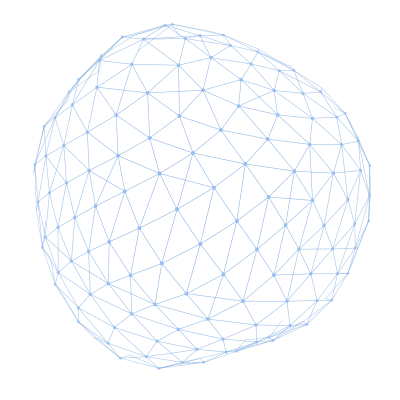
Three radial-gradient washes over a 160° linear gradient between two near-black blues, with an 80×80 grid mask and a 2px scanline overlay at <0.018 white alpha. Layered on top: the Quorum signature — a wireframe blob (the same one bleeding off the top-right corner of every page in this export). Reduced-motion clients see a single static frame; otherwise the live canvas runs 480 Fibonacci-distributed nodes + 200-point plexus with subtle drift.
ShapeFibonacci-lattice nodes with per-node radius perturbed by a noise field — reads as a blob silhouette, not a perfect sphere.
Plexus200 free-floating points with 3 edges each, low alpha. Drifts on top of the sphere mesh.
PlacementFixed top-right, partially off-canvas so it reads as a backdrop bleeding off the edge — not a feature on a page.
Reduced motionSingle static pose. frozen prop forces static even when the OS preference is off — used on long scrolling pages where canvas paint cost matters.
03Surfaces
The system is a floating-panels grammar, not a flat card stack. Every panel is semi-transparent over the backdrop, with a hairline border, backdrop-filter blur, and an inset highlight + soft drop shadow. Panels float — they don't share edges. Gaps between panels are 12–24px.
12px radius · small
Compact panel
Pipeline rail items, chip strips, small floating cards.
14px radius · medium
Standard panel
Stage cards, right-rail probes, composer body.
18px radius · large
Hero panel
Featured artifacts, full-stage modals, three-pillar finding cards.
Backgroundoklch(20% 0.013 248 / 0.42–0.55) — semi-transparent so the backdrop reads through.
Border1px hairline at oklch(35% 0.013 248 / 0.5–0.6).
Blurbackdrop-filter: blur(16–20px) saturate(1.2).
Shadow1px inset highlight on top + 20px y / 40px blur soft drop.
04Color tokens
Cyan = human / active. Warm sand = agent. Amber = override / audit (never decorative). No pure black, no pure white. Use the listed tokens, not hex codes.
Locked spec preamble · 23 tokens
--q-bg
oklch(15% 0.012 248)
canvas
--q-bg-deep
oklch(11% 0.01 248)
deepest backdrop
--q-surface
oklch(20% 0.013 248 / 0.78)
panel base
--q-surface-1
oklch(24% 0.014 248 / 0.85)
panel raised
--q-surface-2
oklch(28% 0.015 248)
solid surface
--q-border
oklch(35% 0.013 248 / 0.6)
hairline border
--q-border-strong
oklch(45% 0.014 248 / 0.7)
active/focused border
--q-fg
oklch(96% 0.005 250)
primary text
--q-fg-muted
oklch(74% 0.012 248)
body text
--q-fg-subtle
oklch(56% 0.014 248)
captions, meta
--q-fg-faint
oklch(42% 0.014 248)
labels at rest
--q-h
oklch(76% 0.14 230)
HUMAN — primary CTAs, current step
--q-h-soft
oklch(76% 0.14 230 / 0.14)
tinted background
--q-h-line
oklch(76% 0.14 230 / 0.34)
tinted border
--q-h-strong
oklch(82% 0.15 230)
hover/bright
--q-a
oklch(80% 0.06 75)
AGENT chrome — warm sand
--q-a-soft
oklch(80% 0.06 75 / 0.12)
agent tinted bg
--q-a-line
oklch(80% 0.06 75 / 0.24)
agent tinted border
--q-amber
oklch(80% 0.14 75)
OVERRIDE / audit ONLY
--q-amber-soft
oklch(80% 0.14 75 / 0.14)
override tinted bg
--q-amber-line
oklch(80% 0.14 75 / 0.36)
override tinted border
--q-green
oklch(78% 0.16 150)
done / success
--q-pink
oklch(78% 0.13 340)
design role agents (sparing)
Live read globals.css · 13 tokens
--background
#02060c
--foreground
#eaf6fa
--surface
rgba(8, 20, 32, 0.72)
--surface-border
rgba(124, 214, 232, 0.12)
--surface-border-strong
rgba(124, 214, 232, 0.24)
--muted
#8aa8b2
--subtle
#5d7a86
--accent
#7cd6e8
--accent-hover
#9ae3f0
--accent-ring
rgba(124, 214, 232, 0.32)
--danger
#f08b8b
--danger-bg
rgba(80, 20, 20, 0.35)
--danger-border
rgba(200, 80, 80, 0.35)
Drift: the live globals.css uses a V1 token set (--background, --accent, etc.) — not the --q-* system above. Story 2.x is the token pass that reconciles them.
05Type
UI body + headings: Inter (or system-ui). 14px base, 1.5 line height. Mono: JetBrains Mono — for IDs, timestamps, step labels, eyebrow chips, the "telemetry" feel. Don't: custom display fonts, decorative serifs, or any Google Display font other than these two.
Size scale preamble
18px / stage
Stage card title — the centerpiece message header in the team room.
weight 500
14.5px / body
Message body — the primary readable text in agent messages.
Tag pills — chip text on state pills and category tags.
weight 500
10.5px / mono
Eyebrow chips, IDs, timestamps, step labels.
JetBrains Mono
Live fonts layout.tsx
Sans / display
Space Grotesk
--font-geist-sans
The quick brown fox
Mono
Source Code Pro
--font-geist-mono
The quick brown fox
06Spacing & radius
8px grid. 12–16px vertical rhythm between message rows. Radii ramp from small UI through large hero, with 100px for pills.
Spacing scale
space-1
4px
space-2
8px
space-3
12px
space-4
16px
space-5
24px
space-6
32px
Radius scale
6pxsmall buttons, inline chips
8pxmedium UI form fields, small panels
12pxcards list items, compact panels
14pxpanels standard floating panels
18pxhero large featured panels
100pxpills tag chips, status pills
07Methodology rail live markup
The 19-step pipeline rendered with the exact markup from app/src/app/w/[workspaceId]/page.tsx — .q-step items with .marker + .name children, the 10 · Delivery sub-section header, and the four build-tag grid (10a Build / 10b QA / 10c Security / 10d UAT). Two presentations: the default expanded view shown in the team room, and the collapsed rail (marker only) used when the left nav is toggled in.
Marker chip24×24 square, mono 11px, rounded 6px. Active = cyan fill + glow. Done = green text. Later = faint.
State classes.is-current · .is-done · .is-later — applied to the <a> element directly.
Build tagSquare mini-card with .num + .name. 4-up grid under the 10 · Delivery section header.
Collapsed modebody[data-nav="collapsed"] hides .name; markers become standalone tiles.
Why the rail is sacred — it's the user's map of the Quorum methodology. Shortcut labels are forbidden. Agent disagreement is a trade-off inside the team room, never a fake rail item like "Filter" or "Conflict resolution" or "Sync."
08Agent roster (24 agents · 3 pillars) live
Live read of TEAM_AGENTS in _gen_bmad_exports.py — same source the team page uses. Agents are organized by which Three-Pillar lens they own (Desirability / Feasibility / Viability), with secondary pillars listed where applicable. BMad-installed agents and custom Dev Team agents (Kinsley, Luca, Cipher, Damien, Jaymes, Quentin) all surface here automatically.
Desirability· 8 agentsWill people want it?
M
MaryStrategic Business Analyst
Owns the desirability lens. Mary runs the user research, frames the personas, pressure-tests claims, and signs off on whether the evidence is strong enough to clear the gate.
Also: Viability
Q
QuentinContent Strategist + Accessibility Lead
Tarantino-level intentionality applied to product copy. Quentin reads copy the way an editor reads a manuscript and a product the way a systems thinker reads a graph. He follows pr…
F
FreyaWDS Strategic UX Designer
Strategic UX and design-thinking partner. Freya runs trigger-mapping workshops that connect business goals to user psychology, then turns the triggers into structured scenario outl…
M
MayaDesign Thinking Maestro
Facilitates structured human-centered exercises. Maya runs the empathize → define → ideate → prototype → test cycle as a guided session with artifacts at each step, not a vibes mee…
C
CarsonBrainstorming Specialist
Forty-plus ideation techniques on tap. Carson opens the solution space when desirability research surfaces a need with no obvious answer, then helps the team converge.
S
SagaWDS Strategic Business Analyst
Strategic business analyst and product discovery partner for the WDS workflow. Saga focuses on the project's earliest moments — establishing context, classifying complexity, routin…
Also: Viability
D
Dr. QuinnMaster Problem Solver
Systematic problem-solving methodologies on tap. Dr. Quinn doesn't just brainstorm — he picks the right structured technique for the problem class, then walks the team through it w…
Also: FeasibilityViability
S
SophiaMaster Storyteller
Turns persona research into the narrative spine of the pitch and case study. Sophia runs Hero's Journey, SCQA, Pixar, and before-and-after frames to surface narrative gaps.
Also: Viability
Feasibility· 11 agentsCan we build it?
W
WinstonSystem Architect
Owns the feasibility lens. Winston produces the architecture decision records, identifies the build path, names the blockers, and signs off on whether the team can actually ship wh…
D
DamienBackend Developer + Mentor
Databases, APIs, auth, deployment, modern backend platforms. Damien teaches as much as he builds, leaving the user with mental models that survive past the current task.
J
JaymesFrontend Developer + Mentor
Pixel-perfect implementation that holds up under interaction stress. Jaymes interprets designs, builds the UI, and explains the trade-offs as he goes.
K
KinsleyProduct Designer + Design Systems
Product designer covering UX, visual design, design systems, and end-to-end design ownership. Kinsley audits whether a proposed pattern fits the existing token / component inventor…
Also: Desirability
L
LucaMotion Designer
Motion as a temporal design layer, not as decoration. Luca specs transitions, micro-interactions, and animation curves with timing, easing, and reduced-motion fallbacks named.
M
MuratMaster Test Architect
Test strategy that scales from ATDD to NFR assessment. Murat writes the failing tests first, then watches whether the team can make them pass.
C
CipherOffensive Security Specialist
Penetration tester and security auditor with the assumption that bypass is the goal, not the exception. Cipher's audit is a hard gate. Critical / high issues block ship until resol…
Q
QuinnQA Engineer
Test automation and coverage at the integration / e2e layer. Quinn turns Murat's strategy into running tests that ship.
B
BarryQuick Flow Solo Dev
Elite full-stack developer for rapid spec and implementation. Barry is the solo-dev mode — when you don't need the full team handoff and just want an experienced engineer who can t…
P
PaigeTechnical Documentation Specialist
Knowledge curator who keeps the artifact tree honest. Paige indexes, shards, and distills the documentation set so that future readers — humans or agents — find what they need with…
Also: DesirabilityViability
A
AmeliaSenior Software Engineer
Story-level implementation. Amelia executes against context-filled story specs and surfaces feasibility flags when a spec needs decomposition.
Viability· 5 agentsShould we build it?
J
JohnProduct Manager
Owns the viability lens. John produces the PRD, defines the success criteria, weighs strategic fit, and signs off on whether the business case clears the bar.
V
VictorDisruptive Innovation Oracle
Strategic positioning, business-model innovation, competitive disruption analysis. Victor maps the disruptor lens against the proposed product to surface where the bet is and isn't…
C
CaravaggioPresentation Master
Visual communication and pitch-deck construction. Caravaggio translates the business case into 10-15 high-density slides that hold up under cold-room scrutiny.
B
BobScrum Master
Sprint-level viability check. Bob translates viability claims into a release rhythm and surfaces capacity / horizon mismatches before they become slipped commitments.
A
AtticusLegal Subject-Matter Expert
Regulatory, compliance, UPL exposure, and ethics review across the whole stack. Atticus surfaces legal blockers before they become product blockers — accessibility as legal floor (…
Also: DesirabilityFeasibility
09Streaming & state signals
When agents work, the user sees motion or status — never a silent spinner. Each signal below is rendered as a live specimen with the exact tokens it ships with.
removered-orange-soft bg · red-orange border + text
overrideamber outline · only on composer · "take control" semantics
10Composer v2 live markup
The shipped composer. Three rows stacked: a context strip (target chip on the left · Override link + outline-pill Lock CTA on the right), an input row with attach / @ mention / send icons, and a hint row with mono kbd glyphs. Markup mirrors .q-composer.q-composer--stacked in quorum-app.css.
All · Desirability
Ask the team or refine your idea…
↵ send⇧↵ new line@ address agent/ commands
Target chip.q-composer-target — pill, mono 10px, 0.06em letterspacing, cyan-tinted. Names who the message is addressed to ("All · Desirability", "@kinsley", etc.).
Override link.q-composer-override-link — text-button, mono 10px, subtle until hover (then amber). Opens the override flow for the current step.
Lock CTA.q-btn--outline-pill — cyan outline pill, 11.5px weight 600. Label changes per step (Lock idea · 2a, Confirm vision · 3, Continue to PRD · 4).
Input row.q-composer-row — darker inset panel, hairline border, focus-within ring at --q-h-line. Holds attach/mention/input/send.
Hint row.q-composer-hint — mono 10px, faint. Always-visible keyboard contract.
FocusThe entire composer gets a 3px cyan ring on :focus-within; the input row alone gets a 2px ring on its own focus.
11Components live(7 live + 4 planned)
Every cell below uses real HTML controls — type into the inputs, click the checkboxes and radios, fire the toasts, open the modal preview. State matrices show default / hover / focused / filled / error / disabled. The screen-design library (composer, stage card, agent message, probe grid) lives in design briefs until promoted into ui/.
›
EmptyState
src/components/ui/EmptyState.tsx
Shared empty-state block — a designed Material 3 empty state, not a fallback sentence. Anatomy: (1) a low-emphasis icon in a soft brand disc, (2) a short headline that names what is missing in human terms, (3) one or two lines of supporting text, (4) an optional primary action that resolves the emptiness. Three flavors (M3 distinguishes these and they read differently): - "first-run" : never-had-data. Encouraging tone, strong primary action. - "no-results" : a filter/search returned nothing. Offers a clear-filters path, never a create CTA (the data may exist, it is hidden). - "all-done" : a cleared queue. Positive, reuses the success-green check disc and usually needs no action. Server-component safe: it renders no client hooks, so it drops into both server views (ProjectsView) and client views (CommunityView, TemplatesView). The action area is passed as children so each caller supplies whatever fits: a <Link> to create something, or a <button> that clears the active filters. Visual language lives in `.app-empty` (see app-scene.css).
State matrix not yet authored for this component.
›
Modal
2 statessrc/components/ui/Modal.tsx
Generic modal shell. Escape closes, backdrop click closes, body scroll locks while open, first focusable inside receives focus on mount. Click the trigger — opens the modal preview.
Trigger button
Click — opens the live modal preview to the right.
Open (medium)
Remove member
Removing Jay Frank will revoke their access to this workspace immediately. They'll keep any data they exported. Continue?
›
Select
3 statessrc/components/ui/Select.tsx
Native select for the at-rest states, listbox toggle for the open-state demo. Click the dropdown — it actually opens.
Default closed
Open
Solo Pro▾
Solo Free
Solo Pro
Team Starter
Team Business
Disabled
›
Skeleton.test
src/components/ui/Skeleton.test.tsx
(no description)
State matrix not yet authored for this component.
›
Skeleton
src/components/ui/Skeleton.tsx
Reusable shimmer placeholder. A thin, typed wrapper over the shared `.q-skel` block (defined once in globals.css) so loading.tsx skeletons stop hand-rolling `<span className="q-skel" style={{ width, height }} />` everywhere. The shimmer animation and its `prefers-reduced-motion` opt-out live in the CSS, so this component is motion-aware for free. It renders a plain span with no client JS, so it is safe to use directly inside Server Component loading.tsx files. Each block is decorative, hence `aria-hidden`; announce the loading state on the surrounding region (aria-busy + sr-only label).
State matrix not yet authored for this component.
›
TextField
5 statessrc/components/ui/TextField.tsx
Single-line text input with label, optional helper text, and an error slot. Type into any cell below — they're real inputs.
Default
We'll use this for your workspace
Focused
We'll use this for your workspace
Filled
We'll use this for your workspace
Error
Email must contain @
Disabled
We'll use this for your workspace
›
Toast
3 statessrc/components/ui/Toast.tsx
Transient status banner that fires from any client action. Click 'Fire toast' under each variant to see it animate in from the corner.
Success
✓Workspace created.
Error
!We couldn't save your changes. Check your connection and try again.
Info
ⓘOnboarding step 2 unlocks once your team accepts their invite.
›
Checkbox
4 statesplanned
Custom-styled checkbox over a native <input>. Click to toggle — they're real and remember state.
Unchecked
Checked
Indeterminate
Disabled
›
Radio
2 statesplanned
Three options, one selected. Native radio under the hood with custom dot styling. Click another option to switch.
Default group
Disabled group
›
Button
6 statesplanned
The full button family — primary CTA, outline pill, the three curation buttons (Include / Flag / Remove), and the Override. Hover and click to see states.
Primary
Outline pill
Include
Flag
Remove
Override
›
Composer
2 statesplanned
The shipped composer (a.k.a. q-composer-v2). Three-row stacked layout: context strip · input row · hint row. Lives at the bottom of every team-room and step screen.
Default
All · Desirability
↵ send⇧↵ new line@ address agent/ commands
Focused
All · Desirability
↵ send⇧↵ new line@ address agent/ commands
›
Icons
15 glyphsICON_SVGS
The 15-glyph icon library used across the planning chrome (page nav CTAs, change-log entries, the Sign out footer). Stroke-based, 24px viewBox, 1.75 weight. Hover any cell to see the name.
file-text
layers
workflow
pen-line
target
quote
activity
book-open
folder
clock
git-branch
shield
plus
check
trash
›
Chat panel
pattern
The agent-conversation pattern that lives in the right rail of every team-room screen. Each row is one message: agent avatar + name + timestamp + body. Streaming messages get a pulsing dot beside the name and a typing cursor at the end of the body.
Team room · Step 13 active · 1 streaming
J
JohnStrategy2 min ago
Before we evaluate desirability, I want to pressure-test the framing. The pitch says "AI product team" — what specifically gets replaced and what doesn't?
M
MaryInsightjust now
Quoting J7's interview: "I want the synthesis without being a project manager." That's the keep — the methodology. The drop is the rote artifact-generation.
W
WinstonResearchstreaming
The interview pool shows three convergent signals on this concept
12Accessibility floor
Non-negotiables for every screen. Contrast is verified at the LIVE panel color (not the pristine surface token) because the glass shows the backdrop through.
Contrast (WCAG AA)
Body text vs. the actual rendered glass panel — checked with axe and visual inspection. The blur changes effective contrast, so the synthetic token math isn't enough.
Keyboard
Every interactive control reachable. Disabled states use aria-disabled="true" + visual styling, not the native disabled attribute — so tooltips stay reachable by Tab.
Tooltips
Native title for V1; richer custom tooltip post Story 2.x. Screen-reader labels match the visual label.
Focus rings
Visible at --q-h-line (cyan) on every interactive surface. Inputs get a 3px ring on :focus-within; the composer wraps that with a softer wrapping ring.
Motion is the default. Reduced motion is opt-in.
Every animation respects prefers-reduced-motion: reduce — the pulsing dot, the typing cursor, the digital-world canvas, the disclosure animations all switch to static or near-instant equivalents when the user has reduced motion turned on.
Where does the user choose? Today, at the OS level — we read the system preference rather than ship an in-app toggle. v1 surfaces:
An in-app toggle (planned alongside the Story 2.x token pass) will let a user override OS preference per-Quorum-workspace without affecting the rest of their system. Today the OS reading is the source of truth — same approach Linear, Notion, and Figma take.
13Screen breakdowns (5 screens) live
Per-screen anatomy briefs, auto-read from design-briefs/ on every export rebuild. Shipped reference briefs document what's live (layout decisions, copy strings, the iteration history since the original Claude Design bundle). Brief-ready specs are the next screens queued for Claude Design — paste the _token-preamble.md + the screen reference + the new brief together at the top of every session.
shippedKinsley2026-05-18
Reference — Step 1 · Describe your idea (AS SHIPPED)
**For Claude Design.** This brief documents what's **already live** in code at `/w/<id>`. Paste this alongside `_token-preamble.md` at the start of any new Claude Design session so future screens stay consistent with what's shipped. **Do not regenerate this screen** — it exist…
Open briefdesign-briefs/step-1-describe-shipped-reference.md
brief-readyKinsley2026-05-18
Brief — Step 2a · Concept alignment
**For Claude Design.** Paste `_token-preamble.md` first, then this brief.
Open briefdesign-briefs/step-2a-concept-alignment.md
brief-readyKinsley2026-05-18
Brief — Step 2b · Generated concepts
**For Claude Design.** Paste `_token-preamble.md` first, then this brief.
Open briefdesign-briefs/step-2b-generated-concepts.md
brief-readyKinsley2026-05-18
Brief — Step 2c · Organize the vision
**For Claude Design.** Paste `_token-preamble.md` first, then this brief.
Open briefdesign-briefs/step-2c-organize-the-vision.md